Loading...
Searching...
No Matches
Working with the dual exposure feature ("mvMultiZone")
Introduction
- Note
- The new mvMultiZone is backward compatible and the property mvExposureHorizontalZoneDivider is still supported by the API. But it is now invisible.
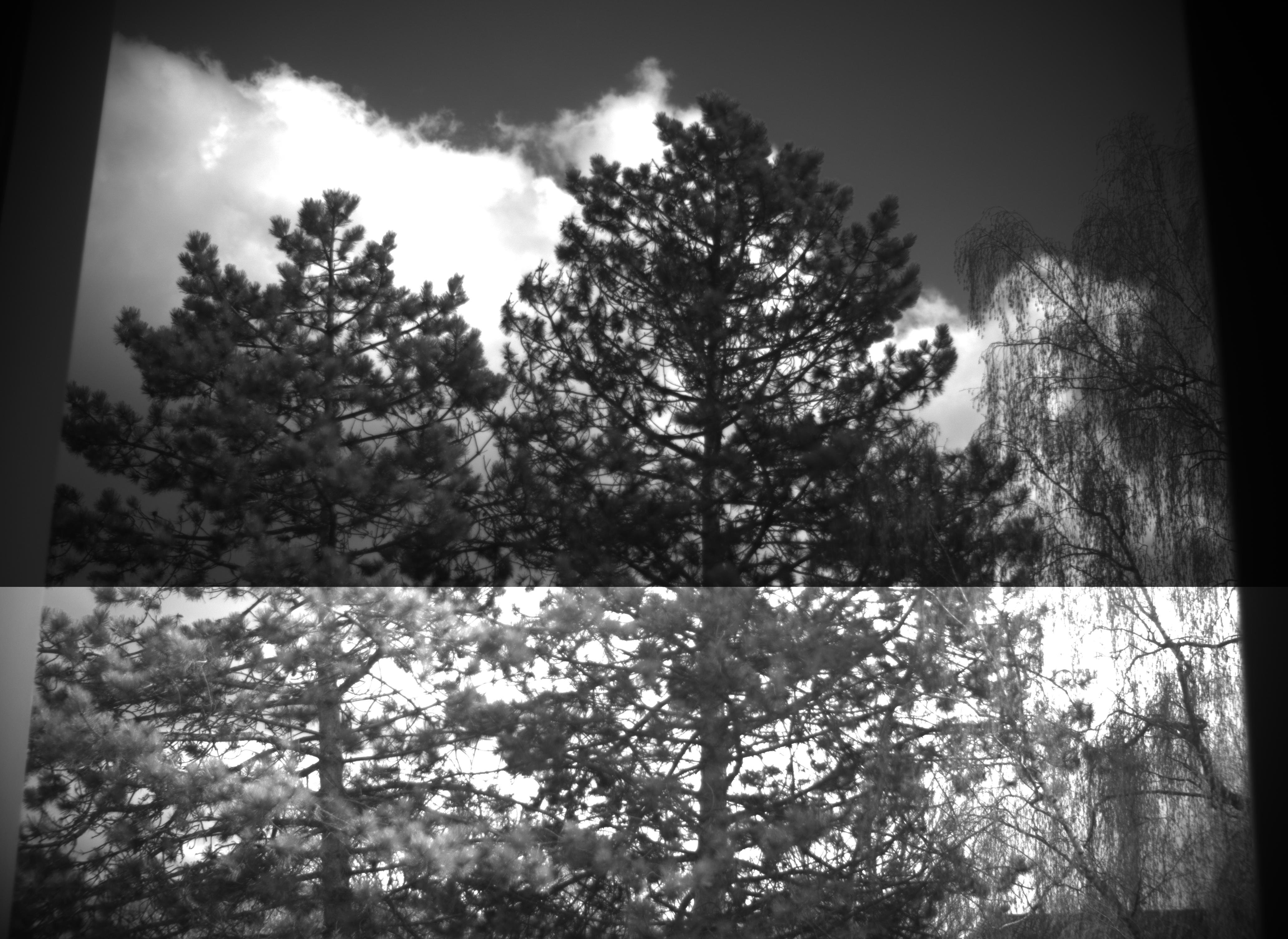
Some sensors in the Pregius sensor family of the third and newer generations support a dual exposure mode, i.e. after a trigger event, for example, different image areas can be exposed to light at the same time differently.
To activate the dual exposure mode there is the exposure mode called mvMultiZone.
If this mode is selected you can set the mvExposureZoneHeight. This property represents the desired height of the upper zone (Zone0). The desired height is relative to the max sensor height. The step is the same as the property Height in ImageFormatControl. The value of mvExposureZoneHeight will be internally evaluated and approximated to the nearest real sensor upper zone height. For your convenience we introduced a read only property mvExposureZoneResultingHeight, which informs you the real sensor upper zone height.
The exposure time of the different zones can be specified using the ExposureTimeSelector. Possible zones are
- mvHorizontalZone0
- mvHorizontalZone1
Using ImpactControlCenter
To activate the dual exposure, just
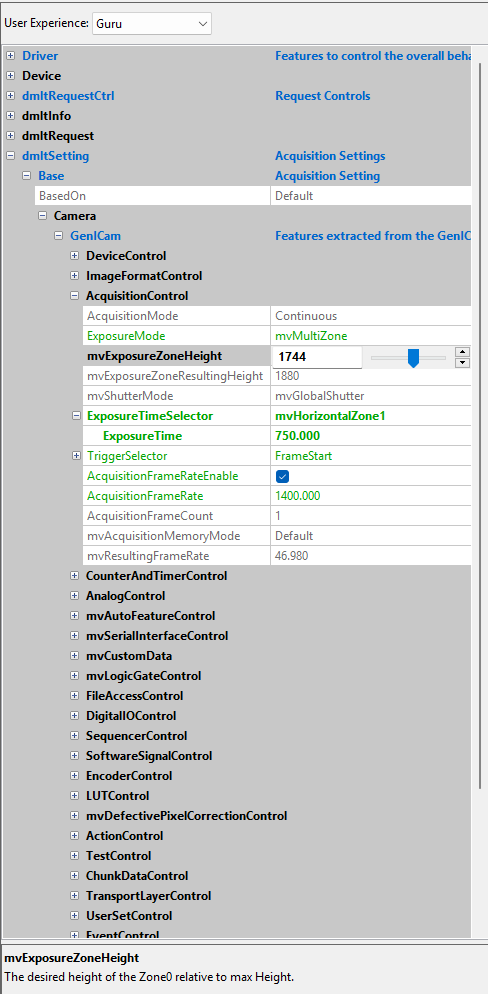
- Select mvMultiZone in "Setting → Base → Camera → GenICam → AcquisitionControl → ExposureMode".
- mvExposureZoneHeight and mvExposureZoneResultingHeight will be visible under ExposureMode. Set mvExposureZoneHeight to the desired upper zone height.
- Set the ExposureTime of each zone by selecting the specific ExposureTimeSelector.
- Note
- Regardless of whether the acquisition is already active, changing the mvExposureZoneHeight takes effect with a delay of at least one additional image. Frames that have already been captured but not used by the application (still in the camera's frame buffer or an internal Impact Acquire queue) are of course no longer affected by the change, so the overall delay may appear longer and is independent of the time between the captured images.
Programming the dual exposure
#include <mvIMPACT_CPP/mvIMPACT_acquire_GenICam.h>

  // more code
  GenICam::AcquisitionControl ac( pDev );
  ac.exposureMode.writeS( "mvMultiZone" );
  // assuming max height is greater or equal 256
  ac.mvExposureZoneHeight.write( 256 );
  ac.exposureTimeSelector.writeS( "mvHorizontalZone0" );
  ac.exposureTime.write( 150 );
  ac.exposureTimeSelector.writeS( "mvHorizontalZone1" );
  ac.exposureTime.write( 900 );
  // Backward compatibility:
  // If you wish to keep using mvExposureHorizontalZoneDivider
  // you don't need to set mvExposureZoneHeight above.
  // It will be set internally to represent the value
  // of mvExposureHorizontalZoneDivider
  //ac.mvExposureHorizontalZoneDivider.write( 50 );
  // more code
